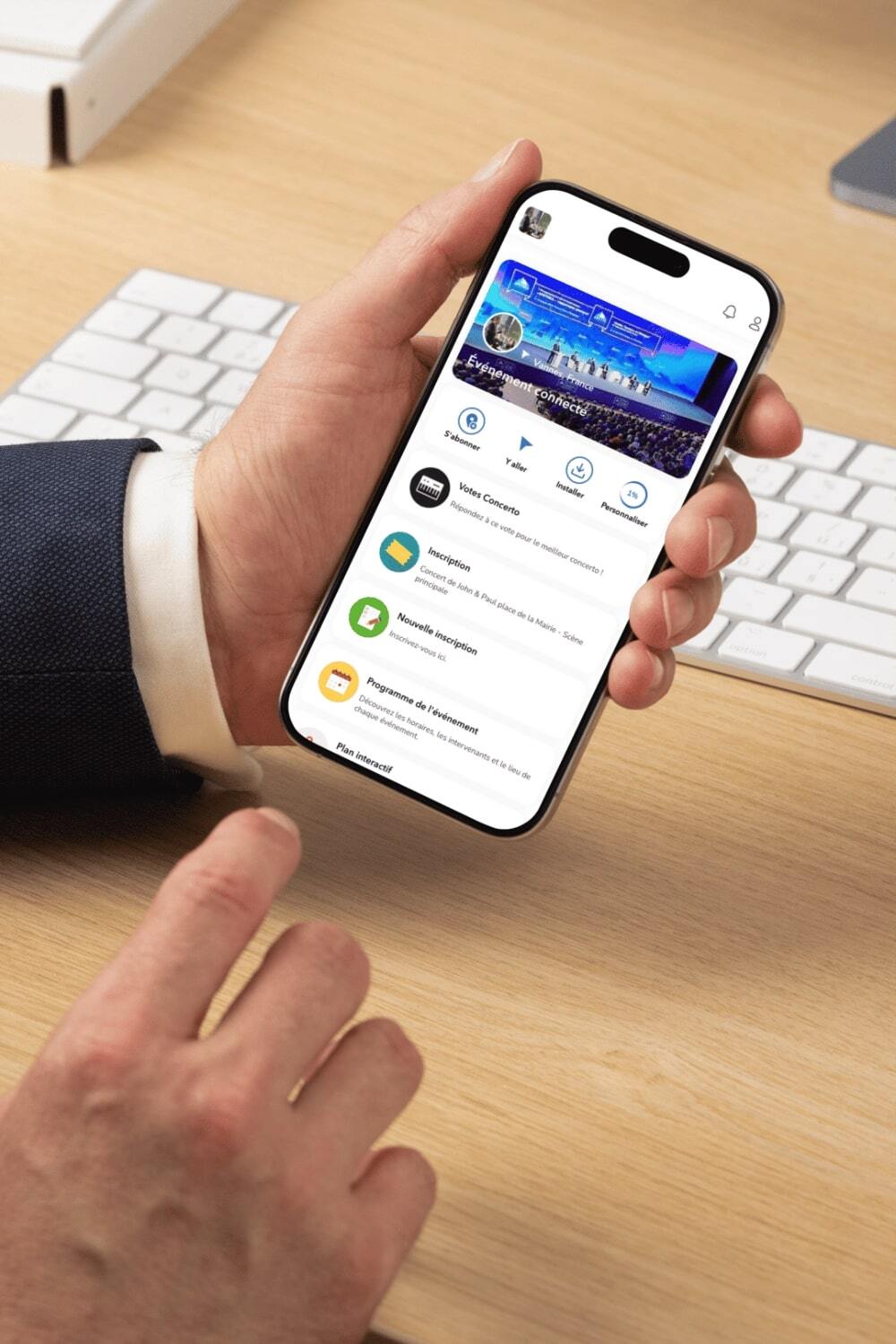
Understanding the role of an event application
Organizing a trade show today is a bit like conducting a giant orchestra. Exhibitors, visitors, partners, conferences, activities… everything must be perfectly synchronized. And let’s be honest: with hundreds, sometimes thousands of participants, traditional tools quickly show their limits. This is where complete solutions come in, such as Imagina: an app for your event whether it is B2B or aimed at the general public.
Table of contents:
1- Definition of an event application for trade shows
2- Comparison: trade show with or without an application
3- The challenges of organizing a professional or public trade show
4- How an event application improves the experience
5- The importance of mobile applications for professional or public trade shows
6- Presentation of the Imagina app
7- Implementing an event application for trade shows with Imagina
Definition of an event application for trade shows
An event application for trade shows is a digital platform designed to improve organization and participation during an event. It centralizes all useful information: program, exhibitors, speakers, conferences, venue map and communication between participants.
In the event industry, this type of tool is becoming essential. Thanks to an application, organizers can offer visitors a modern and smooth experience.
Why the event industry adopts applications
The event world is evolving rapidly. Participants today expect a connected, interactive and personalized experience.
An event application responds precisely to these needs:
- quick access to information
- participant management
- meetings between visitors and exhibitors
- real-time communication
Organizers also save time thanks to better management and precise monitoring during the event.
Comparison: trade show with or without an application
|
Criteria |
Without event app |
With event app |
|
Access to information |
Flyers or website |
Centralized application |
|
Participant management |
Manual |
Automated |
|
Networking |
Limited |
Meetings and matchmaking |
|
Program |
Paper |
Interactive agenda |
|
Communication |
Emails only |
Notifications and push notifications |
|
Data tracking |
Very limited |
Complete analysis |
New digital uses in the event industry
Today, a professional trade show, congress or forum increasingly uses digital solutions to improve the overall experience.
These applications allow for example:
- networking between participants
- broadcasting conference content
- access to the program
- sending notifications
The evolution of participants’ expectations
Participants today want to:
- quickly find information
- organize their meetings
- meet exhibitors
- receive push notifications
A dedicated app therefore becomes a central tool to facilitate participation.
I'm making my app

The challenges of organizing a professional or public trade show
Participant management
During a trade show, several hundred or thousands of participants may be present.
Managing registrations, tickets and check-in represents a major challenge for organizers.
An event application simplifies these processes thanks to a QR code or a digital check-in system.
Coordination of exhibitors
Exhibitors are at the heart of a professional trade show. They must be able to:
- present their products
- share their information
- organize meetings
An event platform makes it possible to centralize their profiles and their content.
Information distribution
Participants constantly look for information: schedules, venue map, conference room, speakers, etc.
An application then becomes the main support for sharing updates.
Program planning
In a congress, seminar or exhibition, the program can include many conferences, workshops and different formats.
With an app, each user can create their own agenda.
How an event application improves the experience
A better user experience
An event application greatly improves the user experience by centralizing essential information.
Participants can consult the program, speakers and exhibitors in a few seconds.
The participants’ experience before the event
Before an event, participants use the mobile tool to:
- consult the website
- complete their registrations
- buy their tickets
This makes their purchase easier during registration.
The participants’ experience during the event
During the event, the app becomes a real navigation tool.
It allows users:
- to find the venue
- to discover exhibitors
- to attend conferences
- to receive notifications
Push notifications inform participants about updates.
The participants’ experience after the event
After an event, organizers can analyze data:
- participation rate
- interaction tracking
- document downloads
This experience extends the relationship with the audience.
It is therefore essential to choose the best event applications to ensure a smooth, intuitive and truly useful experience for all participants.

The importance of mobile applications for professional or public trade shows
Improving audience engagement: a mobile application increases participant engagement thanks to interactive content.
Facilitating B2B contacts: in a professional trade show, the main objective remains meetings between professionals.
Promoting exhibitors and sponsors: exhibitors and sponsors benefit from a dedicated space in the event application. They can publish their information, their products and their content.
Optimizing organizer communication: organizers use the app to send emails, notifications and share information.
Presentation of the Imagina app
Imagina is an event platform specialized in event applications for trade shows, congresses, forums or seminars.
It offers a complete solution to simplify the tool and its features that will accompany you throughout your event, which will help you improve engagement and the experience of participants.
Features offered by Imagina
|
Features |
Benefits |
Advantages |
|
Interactive agenda/map/program |
Personalized organization |
An interactive map/program of the trade show allows users to locate specific booths and easily navigate the space. |
|
Networking |
Connecting participants |
More professional meetings |
|
QR code and check-in |
Fast access |
A ticket scanning system at the entrance allows smooth check-in and registration, reducing queues. |
|
Push notifications |
Instant communication |
Automatic notifications allow sharing important information with participants at the right time. |
|
Animations |
Interactive support for users |
Engagement tools such as polls and Q&A animate conferences and collect live feedback. |
See other features
Implementing an event application for trade shows
Implementing an event application for a trade show is designed to be simple and efficient. The goal is to support organizers at every stage in order to precisely meet the needs of their event and their teams.
From the beginning, a dedicated project manager works with the teams to structure the project and prepare the launch of the solution. Together, they define the key elements to integrate into the platform.
Here are the main steps:
- Needs analysis: the project manager exchanges with the teams to identify the specific needs of the trade show and select the most suitable features.
- Content creation and integration: adding essential content such as the program, exhibitors, practical information or the different spaces dedicated to participants.
- Database import: integration of databases to centralize information about participants, exhibitors and speakers. Data collected by an event application can easily be exported to internal software.
- Feature configuration: activation of key tools such as spaces for emails, notifications or networking areas.
- Team training: training is offered to allow organizers to quickly get to grips with the application.
- Trend monitoring: Imagina supports organizers by taking into account trends in the event industry in order to optimize the use of the platform.
- Security: applications must comply with GDPR to protect the data published by participants.
This progressive approach helps establish real trust between Imagina and the organizers.
Conclusion
In an increasingly digital event world, an event application for your trade show becomes a key element for a successful event.
It improves the participants’ experience, simplifies the work of the exhibitor manager and helps organizers offer richer content.
Solutions like Imagina now make it possible to transform a traditional trade show into a truly interactive platform. The result: more participation, more meetings and a memorable experience for the entire audience.
I create my app
FAQ
1. Why use an event application for a trade show?
An event application centralizes all the information of an event: program, exhibitors, conferences and networking.
2. How much does an event application cost?
Event software pricing depends on the features, the number of participants and the type of event.
3. Does an application work for all event formats?
Yes. It can be used for a trade show, congress, forum or seminar.
4. How do participants use the application during the event?
They consult the program, schedule meetings and discover exhibitors.
5. Does an event application replace a website?
No. The website mainly serves to present the event, while the application supports participants throughout the experience.
6. What are the top features of an event application to improve engagement during an event?
The top features of an event app, whether for a hybrid, in-person or multi-site event, are those that improve engagement by facilitating communication, quick access to information and active participant involvement.
Here are the most important ones:
- Interactive program
A dynamic agenda during an event allows participants to easily consult the event program, add sessions to their schedule and receive reminders. This increases participation in conferences and activities. - Push notifications
Real-time notifications inform participants of program changes before or during an event, upcoming conferences or important activities. This keeps their attention throughout the event. - Networking and meeting scheduling
Networking features allow event participants to connect with each other, exchange messages and organize meetings. This strengthens professional encounters and engagement. - Exhibitor and speaker profiles
Participants can consult information about exhibitors and speakers before and during an event, discover their products or services and easily identify the people they want to meet. - Live interaction
Polls, live questions or votes during congresses allow participants to actively engage in the event. - Check-in and QR code
Digital check-in simplifies access to the event and improves the experience from the moment participants arrive.
7. How to choose an event app to meet the needs of a forum or event and offer the right features on a platform at the right price?
To choose an event app, first identify the needs of your event or forum. The platform must offer features adapted to different formats and users, be easy to use both for emails and for publishing your app and spaces online, and provide effective support. Also evaluate your purchase based on the price and the services included.


